Watercolor Splatter Procreate Brushes: A Practical Guide to Avoiding Common Mistakes
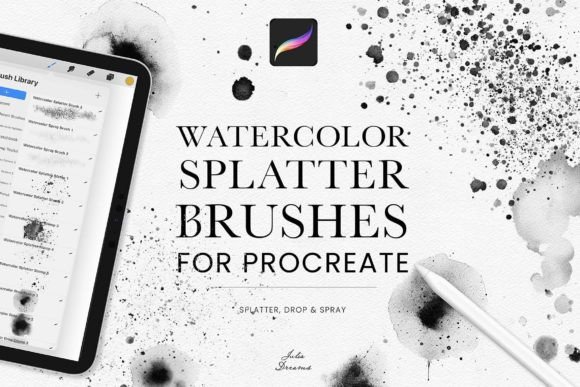
If you're exploring digital art tools, you may have come across Watercolor Splatter Procreate Brushes. These brushes offer a realistic and expressive way to simulate traditional watercolor effects, especially splatters, drops, and sprays. With a set that typically includes 18 unique brushes, artists can add organic textures and vibrant energy to their work without the mess of physical paints.
However, like any creative tool, getting the most out of Watercolor Splatter Procreate Brushes requires more than just downloading and applying them. Many users—whether beginners or experienced—run into issues that can affect their workflow, final output, or even the value they get from the purchase.
Choosing the Wrong Brushset
One of the first decisions you’ll make is selecting the right brushset. Not all Watercolor Splatter Procreate Brushes are created equal. Some sets may include brushes that are too similar, lack variation, or don’t truly mimic watercolor behavior.
Example: Imagine buying a set expecting a wide range of splatter effects, only to find that most brushes produce the same light spray. This can limit your creative options and force you to compensate in ways that slow down your process.
Solution: Look for brushsets that clearly list what each brush does. Preview images or demo videos from the creator can give you a better idea of how each brush behaves. Don’t hesitate to reach out to the seller with questions before purchasing.
Misunderstanding How the Brushes Work
Some users assume that simply applying a splatter brush will instantly produce a realistic watercolor effect. In reality, these brushes often require layering, blending, and some manual adjustment to look natural.
Example: A digital artist might stamp a large splatter over a finished illustration, only to find it looks flat and artificial. This happens when the brush isn’t blended into the artwork or is used without adjusting opacity and flow settings.
Solution: Experiment with layer modes like Multiply or Overlay, and vary the brush size and pressure. Try layering multiple splatters at different opacities to build depth and realism.
Overlooking File Format and Compatibility
While most brushsets come in the .brushset format for Procreate, not all versions of Procreate support every brush feature. Also, some creators may unknowingly download brushes meant for older or newer versions of the app, causing issues when importing.
Example: An artist downloads a highly-rated brushset but can’t open it because it was saved in a format incompatible with their device. This leads to frustration and wasted time trying to convert or fix the file.
Solution: Always check the version requirements and file format before downloading. If you're unsure, ask the seller if the brushset is compatible with your version of Procreate.
Using Too Many Brushes at Once
Having 18 brushes might seem like a lot, but using all of them in one piece can overwhelm your artwork. Some artists fall into the trap of applying every brush just because they’re available, which can make compositions look cluttered or chaotic.
Example: A beginner adds multiple splatter brushes in different colors across a digital painting, unintentionally drawing attention away from the main subject and making the image feel disorganized.
Solution: Start with just a few brushes and learn how each affects your piece. Use restraint—sometimes a single, well-placed splatter adds more impact than a dozen scattered ones.
Ignoring the Learning Curve
Even though Procreate is user-friendly, mastering brush behavior takes time. Many users expect instant results and become discouraged when their first attempts don’t match the preview images.
Example: A new artist downloads Watercolor Splatter Procreate Brushes expecting their first digital painting to look like a professional portfolio piece. When it doesn’t, they blame the brushes rather than the learning process.
Solution: Treat brush experimentation like practicing with traditional tools. Try small studies or test layers before applying splatters to final work. Watch tutorials or follow step-by-step guides to understand how professionals use similar brushes.
Skipping the Preview or Demo
It’s tempting to click “buy” based on a beautiful thumbnail or a glowing review. But without previewing how the brushes actually perform, you risk disappointment.
Example: A blogger buys a brushset for a tutorial, only to find that the splatters are too soft and don’t show up well in screenshots. This forces them to reshoot or edit around the issue, wasting time and effort.
Solution: Always look for creators who offer free samples or detailed previews. If none are available, read reviews carefully and check if other buyers have mentioned performance issues.
Underestimating the Value of Updates
Some brush creators release updates or improvements based on user feedback. Artists who don’t check for updates might miss out on performance fixes or new brush variations.
Example: An illustrator uses an older version of a brushset and struggles with inconsistent texture application. Months later, the creator releases an update with improved texture control, but the user never finds out.
Solution: Follow the creator on social media or subscribe to their newsletter if available. This ensures you’re notified of updates, tips, and possibly even bonus brushes.
Final Tips Before You Download
- Check the number and variety of brushes included—not just the count, but the range of effects.
- Verify file format (.brushset) and compatibility with your version of Procreate.
- Look for clear descriptions or demo content to understand brush behavior.
- Read user reviews for real-world performance insights.
- Consider how often you’ll use the brushes—don’t buy just because it’s popular.
Watercolor Splatter Procreate Brushes can elevate your digital art with organic textures and expressive effects. But like any creative tool, they work best when chosen thoughtfully and used with intention. Avoiding these common mistakes ensures you get the most from your purchase and enjoy the process along the way.