Ember Photoshop Brushes: Unleash Your Creativity with Precision and Style
If you're a digital artist, graphic designer, or creative enthusiast looking to elevate your Photoshop projects, you've probably searched for tools that bring both quality and versatility to your workflow. Enter Ember Photoshop Brushes — a meticulously crafted set of 20 high-resolution brushes designed to ignite your imagination and enhance your visual storytelling. Whether you're working on concept art, digital illustrations, or photo manipulations, these brushes offer a seamless blend of performance and aesthetic appeal.
What Are Ember Photoshop Brushes?
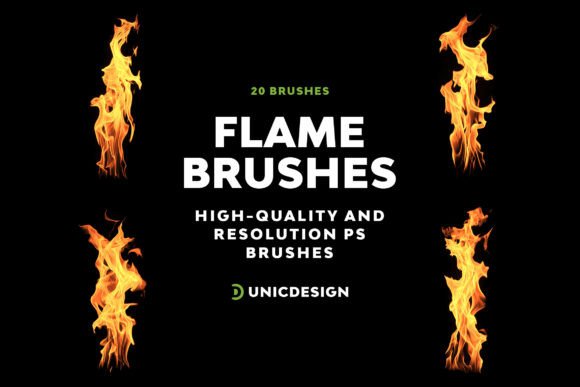
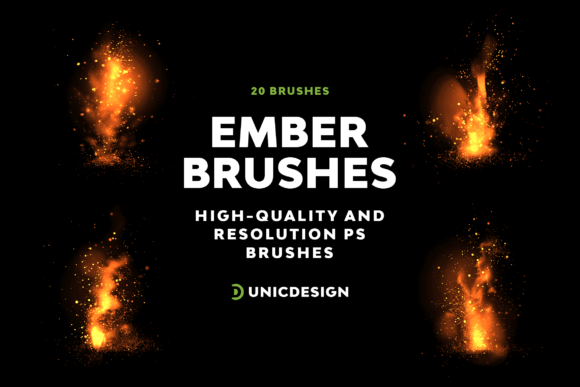
The Ember Photoshop Brushes pack is a collection of 20 uniquely designed brushes tailored for Adobe Photoshop users. Each brush is created at a resolution of approximately 2000 pixels, ensuring crisp, detailed results even at large scales. These aren't generic brushes — each one is distinct in texture and application, offering a range of expressive possibilities for both beginners and seasoned designers.
Bundled with a comprehensive Readme file, the set ensures that users can integrate the brushes into their workflow with minimal effort. From installation to advanced usage, the guide is designed to be intuitive and accessible, helping you get creative faster without unnecessary learning curves.
Creative Challenges and How Ember Brushes Can Help
Many designers face recurring issues when working on digital projects — from repetitive textures to a lack of dynamic brush options that truly stand out. Traditional brushes often fail to deliver the organic feel or high-resolution clarity that modern digital art demands. This is where Ember Photoshop Brushes come in, offering a solution that's both practical and inspiring.
- Need for high-quality textures: Whether you're designing a fantasy landscape or a vintage poster, having access to detailed, high-resolution brushes can make a world of difference. Ember Brushes deliver sharp, clean results that maintain integrity at any scale.
- Desire for variety: With 20 unique brush styles, you'll find options suited for everything from soft glows and fiery embers to gritty textures and abstract strokes. This variety helps you avoid repetition and keep your designs fresh.
- Compatibility concerns: Designers often juggle multiple versions of Photoshop due to system limitations or team workflows. Ember Brushes are compatible with versions from CS6 to CC 2022, ensuring broad usability without the hassle of format mismatches.
Practical Applications Across Creative Fields
The flexibility of Ember Photoshop Brushes makes them suitable for a wide array of creative disciplines. Here are a few real-world applications where these brushes can significantly enhance your output:
1. Concept Art and Illustration
Concept artists often rely on textured brushes to simulate materials like fire, smoke, or earth. Ember Brushes offer a natural, painterly feel that helps bring sketches and digital paintings to life. Whether you're working on character designs, environments, or visual effects, these brushes can add depth and realism without overcomplicating your process.
2. Photo Editing and Compositing
For photographers and photo editors, blending elements seamlessly is key. Ember Brushes can be used to create soft transitions, dramatic lighting effects, or atmospheric overlays. Their high resolution ensures that even subtle brushstrokes maintain clarity, especially when working on large-format prints or web banners.
3. Graphic Design and Branding
Designers crafting logos, social media assets, or packaging can benefit from the organic textures Ember Brushes provide. These brushes help break away from overly digital aesthetics, adding a tactile, handcrafted touch that resonates with audiences. For instance, a vintage logo can be enhanced with a gritty brush stroke, giving it a worn, authentic appearance.
Getting the Most Out of Ember Photoshop Brushes
While the brushes are ready to use out of the box, there are a few strategies you can employ to maximize their potential:
- Experiment with layer blending modes: Try overlaying Ember Brushes on different blending modes like Soft Light, Multiply, or Screen to create unique lighting and texture effects.
- Adjust brush dynamics: Customize opacity, flow, and scattering settings to tailor each brush to your specific project. This allows for more nuanced control, especially when building complex compositions.
- Combine with other brush sets: Don't be afraid to layer Ember Brushes with your existing tools. Mixing and matching can lead to unexpected results and help you develop a signature style.
Who Should Use Ember Photoshop Brushes?
These brushes cater to a diverse audience, from hobbyists to professional designers. Here's how different users might approach them:
- Beginners: If you're just starting out with Photoshop, Ember Brushes offer an easy way to add professional-grade effects without needing advanced skills. The included Readme file ensures you can start using them confidently from day one.
- Intermediate designers: Those with some experience can push the brushes further by combining them with masks, gradients, and adjustment layers to create polished, layered compositions.
- Professionals: Seasoned artists can integrate Ember Brushes into their toolkit for quick texture overlays, concept sketches, or client projects that demand high-quality output with minimal effort.
Support and Usability for Long-Term Creativity
One of the standout features of this UnicDesign product is the 24/7 unlimited support available to users. Whether you're having trouble installing the brushes or want to explore more advanced techniques, you can reach out directly through the link provided in the Readme file. This level of support ensures that your creative process isn't hindered by technical roadblocks.
Moreover, the compatibility across Photoshop versions means you don't have to worry about upgrading software to use the brushes. Whether you're on CS6 or CC 2022, you can trust that Ember Photoshop Brushes will integrate smoothly into your existing setup.
Final Thoughts: Make Ember Photoshop Brushes Your Creative Companion
In a digital landscape where creativity often hinges on the tools at your disposal, Ember Photoshop Brushes stand out as a versatile, high-quality resource that can elevate your work. Whether you're looking to add texture, depth, or dynamic effects to your designs, this brush set offers a reliable and inspiring solution. With clear instructions, broad compatibility, and dedicated support, it's more than just a tool — it's a creative companion that grows with your evolving needs.
So if you're ready to bring your visions to life in the most vibrant way possible, consider adding Ember Photoshop Brushes to your digital toolkit. Your next project could be just one brushstroke away from standing out.