Enhance Your Designs with Water Splash Photoshop Brushes
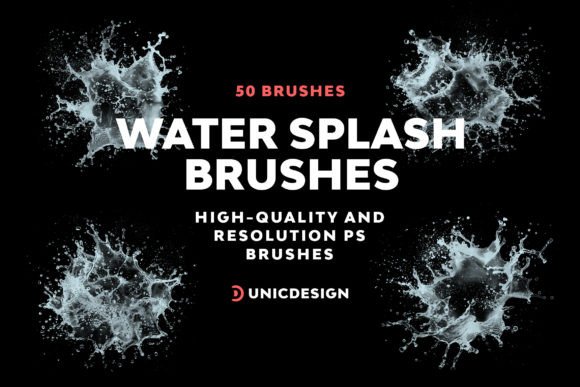
When it comes to creating visually striking graphics, the right tools can make all the difference. The Water Splash Photoshop Brushes offer a powerful way to add dynamic, high-quality water effects to your digital projects. Whether you're designing a product splash page, editing a lifestyle photo, or crafting social media visuals, this collection of 50 high-resolution brushes brings a realistic and artistic touch to your work.
Each brush in the set is crafted at approximately 2000 pixels, ensuring sharp detail and scalability across different design contexts. From subtle droplets to dramatic splashes, the variety of brush styles allows for creative flexibility. The brushes are optimized for use in Photoshop CS6, CC, and up to the latest CC 2023 versions, making them a reliable addition to both seasoned professionals and hobbyist designers alike.
Design Versatility Across Creative and Commercial Projects
These water splash brushes are not limited to a single design niche. Their high resolution and natural aesthetic make them ideal for a wide range of applications. Photographers can enhance portrait or product shots with a splash of movement. Marketers can create eye-catching banners or promotional graphics. Bloggers and content creators can elevate their visual storytelling with organic, fluid elements.
In editorial and packaging design, the Water Splash Photoshop Brushes introduce a sense of motion and realism that static images often lack. For web and UI designers, they provide a tactile, immersive quality that complements modern design trends. Even in print media—such as posters, flyers, or magazine layouts—these brushes add a dynamic visual layer that draws attention and enhances composition.
Practical Benefits for Designers and Content Creators
One of the standout features of this brush set is its ease of use. Each brush is designed with intuitive controls, allowing for quick integration into your existing Photoshop workflow. The included Readme file offers clear instructions on installation and usage, ensuring that even those new to Photoshop brushes can get started without difficulty.
The brushes are also designed with versatility in mind. You can layer multiple splashes, adjust opacity, and blend modes to create depth and realism. Whether you're working on a sleek corporate presentation or a playful personal project, the ability to fine-tune each brush stroke ensures your design remains cohesive and professional.
Support and Compatibility You Can Rely On
Design tools should enhance your creativity, not hinder it. That’s why the UnicDesign team has ensured that the Water Splash Photoshop Brushes are compatible with a wide range of Photoshop versions. This future-proof compatibility means you won’t have to worry about updating your tools every time Adobe releases a new version.
In addition, UnicDesign offers round-the-clock support for any questions or issues you may encounter. This level of customer care is especially valuable for small business owners, freelancers, and independent creators who may not have in-house technical support. Simply refer to the contact information in the Readme file, and you’ll have access to prompt assistance when needed.
How to Get the Most Out of Your Brush Set
To make the most of these brushes, consider the context and visual tone of your project. A dramatic splash may work well in an action-oriented design, while a subtle droplet effect can add a touch of elegance to minimalist branding materials. Experiment with layer blending modes like Overlay, Soft Light, or Multiply to achieve different visual effects without overcomplicating your workflow.
If you're using the brushes in a brand-related project, consistency is key. Choose a few signature splash styles that align with your brand’s aesthetic and use them across various assets—social media posts, email headers, packaging, or advertising materials. This repetition helps reinforce brand recognition and visual cohesion.
When combining these brushes with other design elements, pay attention to how they interact with typography and layout. A strong splash effect can easily dominate a composition, so balance is important. Pair bold brush strokes with clean, modern typography to maintain visual harmony and ensure your message remains clear and readable.
Final Thoughts
The Water Splash Photoshop Brushes aren’t just another design asset—they’re a versatile, high-quality tool that can elevate your creative output across multiple platforms. Whether you're a professional designer, a content creator, or a small business owner looking to enhance your visual presence, this brush set offers real-world value without the learning curve of complex tools.
With 50 unique splash variations, seamless Photoshop integration, and expert support, you’re not just purchasing brushes—you're investing in a design resource that will serve you across countless projects. Explore the possibilities, experiment with layering and blending, and let these water effects bring a new level of realism and creativity to your work.