Hair Photoshop Brushes: Unlocking Creative Possibilities for Designers and Artists
What Are Hair Photoshop Brushes and Why Do They Matter?
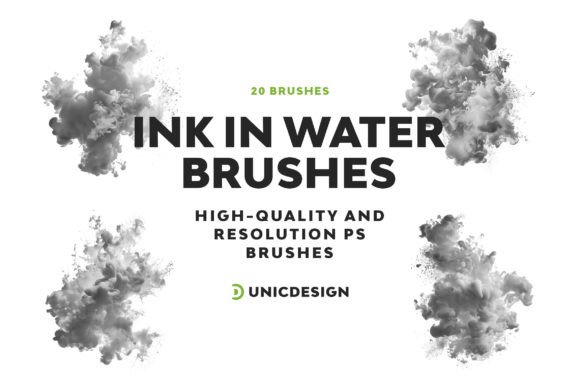
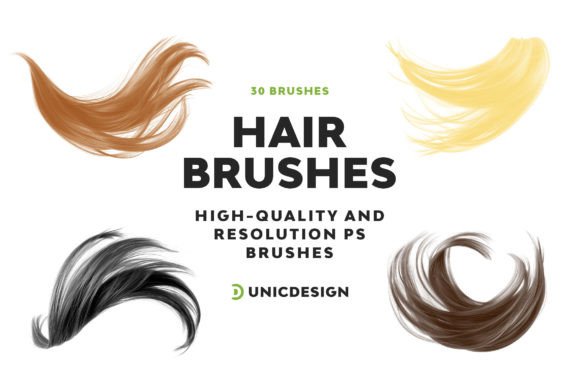
Hair Photoshop Brushes are a specialized set of digital tools designed to help graphic designers, illustrators, and photo editors create realistic, artistic, and visually striking hair effects. This particular pack includes 20 high-resolution brushes, each crafted with precision and clarity at 2000 px. Whether you're working on a fashion editorial, a character design, or a digital portrait, these brushes make it easy to add texture, movement, and depth to hair elements without the need for complex drawing or masking techniques.
Real-World Uses: Where and How Hair Photoshop Brushes Shine
One of the most powerful aspects of these brushes is their adaptability across different creative fields. Here are a few practical examples of how they can be used:
- Fashion Design: Quickly enhance model images with dramatic hair styles or add texture to fashion sketches.
- Character Illustration: Create expressive, flowing hair for animated characters or comic book figures with minimal effort.
- Photo Editing: Retouch portraits by blending natural hair strands or cover up imperfections with seamless, realistic brush strokes.
- Digital Art: Use the brushes to simulate wind-blown, fantasy, or abstract hair effects that stand out in concept art or digital paintings.
- Marketing and Advertising: Design eye-catching visuals for beauty brands, hair salons, or cosmetic products using high-quality hair overlays.
These brushes are especially valuable for creatives who work under tight deadlines but still want to maintain a high level of detail and professionalism in their work.
Who Benefits Most from Using These Hair Photoshop Brushes?
The versatility of this brush pack makes it ideal for a wide range of users:
- Freelance Graphic Designers: Save time and elevate client work with ready-to-use, high-quality brushes.
- Photographers: Enhance portraits or retouch boudoir and fashion shots with natural-looking hair enhancements.
- Illustrators: Add dynamic hair motion to characters without having to draw every strand manually.
- Beauty Industry Professionals: Use the brushes to mock up hairstyles for clients or create visual content for social media and campaigns.
- Aspiring Artists: Learn and experiment with professional-grade tools without needing advanced drawing skills.
Whether you're a seasoned pro or just starting out, Hair Photoshop Brushes can become a go-to resource in your creative toolkit.
Getting Started: What to Consider Before You Begin
Before diving into your first project, there are a few practical considerations to keep in mind:
- Compatibility: These brushes are compatible with Photoshop versions from CS6 to CC 2022, ensuring they work with most modern setups.
- Resolution: At 2000 px, the brushes are high-quality and suitable for both web and print use, but always check your output size to ensure optimal clarity.
- Layer Management: To maintain flexibility, apply brushes on separate layers so you can adjust opacity, blending modes, and masking without affecting the original image.
- Customization: Don’t be afraid to tweak brush settings like size, flow, and scattering to match the specific needs of your project.
Also, remember that while the brushes are designed to be user-friendly, achieving the best results often comes with a bit of practice and experimentation.
Strengths That Make These Hair Photoshop Brushes Stand Out
What sets this particular brush set apart is the balance between quality and usability. Each brush is handcrafted, ensuring attention to detail and a natural look. The included Readme file provides clear instructions and tips, making setup a breeze. Plus, the round-the-clock support ensures that any technical hurdles are quickly resolved, giving you peace of mind while you focus on creating.
Another major strength is the variety of brush styles included. From soft wisps to bold, textured strokes, the set offers enough diversity to suit a wide range of artistic styles and project types.
Limitations and How to Work Around Them
No tool is perfect for every situation, and while Hair Photoshop Brushes offer a lot, there are a few limitations worth noting:
- Specificity: While the brushes are excellent for hair, they may not be suitable for other textures or effects unless creatively repurposed.
- Learning Curve: Beginners may find it challenging to match brush strokes with lighting and direction in complex images at first.
- Photoshop Only: These brushes are tailored for Photoshop, so if you use other design software, you may need to look for alternatives or workarounds.
That said, most of these limitations can be overcome with practice, and the included support and documentation go a long way in smoothing the learning curve.
How to Maximize the Value of Your Hair Photoshop Brushes
To get the most out of this brush pack, consider these tips:
- Combine with Layer Styles: Add depth by applying gradients, shadows, or glow effects over your brush strokes.
- Mix and Match: Layer multiple brushes together to create more complex and realistic hair textures.
- Use with Masks: Blend hair elements seamlessly into photos by using layer masks and adjusting opacity.
- Experiment with Blending Modes: Try using the brushes in Screen, Multiply, or Overlay modes for unique lighting and shadow effects.
- Customize Your Workspace: Organize your brushes into custom presets to streamline your workflow.
By exploring these techniques, you can push the boundaries of what’s possible and truly make the brushes your own.
Final Thoughts: A Must-Have Tool for Creative Expression
Hair Photoshop Brushes are more than just a convenience—they’re a catalyst for creativity. Whether you're retouching photos, designing characters, or crafting visual content, these brushes give you the power to enhance your work with minimal effort and maximum impact. With the right approach, they can become an indispensable part of your digital design process.