Brushes Procreate. Texture Paints: Enhancing Digital Art with Realistic Detail
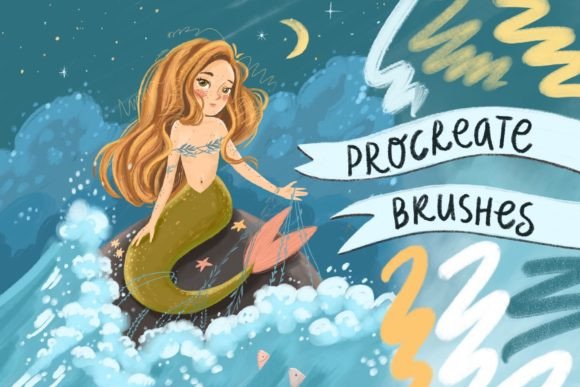
For digital artists and creators working on the iPad Pro with Apple Pencil, the right tools can make all the difference. Brushes Procreate. Texture Paints is a specialized brush pack designed exclusively for the Procreate app, offering a curated set of 8 brushes that bring depth, realism, and texture to digital illustrations. Unlike generic brushes, this pack is crafted to simulate the tactile feel of traditional media, making it a valuable asset in both personal and professional creative workflows.
Understanding the Role of Texture in Digital Art
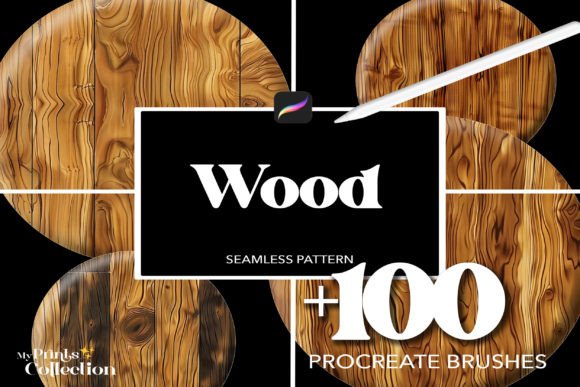
In digital illustration, texture plays a critical role in grounding a piece visually. It adds dimension and breaks the flatness that can sometimes make digital work feel less tangible. The Brushes Procreate. Texture Paints pack offers a variety of textured strokes—from chalky surfaces to gritty washes—each mimicking the behavior of real-world materials. These brushes are especially useful for artists aiming to add character to backgrounds, surfaces, or overlays without relying on imported textures or complex layer effects.
Integration into the Creative Process
Texture brushes can be incorporated at various stages of a creative project. During the early stages, they can help establish mood or visual tone by quickly blocking in textured backgrounds. In the middle phases, they support detailed rendering of surfaces like stone, fabric, or wood grain. Finally, during finishing touches, they’re ideal for adding subtle imperfections or enhancing depth through layered effects.
For example, a concept artist might use one of the gritty texture brushes to roughen the edges of a sci-fi vehicle design, giving it a lived-in look. A surface designer could layer multiple texture brushes to simulate fabric patterns directly within Procreate, avoiding the need to switch to other software for post-processing.
Compatibility and Setup Considerations
Before diving into creative use, ensure that your iPad Pro and Apple Pencil are running the latest version of Procreate. The Brushes Procreate. Texture Paints pack is not compatible with Adobe Photoshop or Illustrator, so it’s important to confirm your workflow is centered around Procreate from the outset. Installation is straightforward: simply import the .brushset file into the app and the brushes will appear in your brush library under a dedicated folder.
Once installed, take time to test each brush under different pressure settings and layer blending modes. This exploration helps you understand how each texture responds to your input and how it interacts with other elements in your composition.
Workflow Optimization with Texture Brushes
One of the key advantages of the Brushes Procreate. Texture Paints pack is its efficiency. Because each brush is pre-configured with texture dynamics, you can avoid time-consuming steps like applying filters or overlaying scanned textures manually. This streamlines the process, especially when working under tight deadlines or producing content in volume.
- Use layers strategically: Apply textures on separate layers so you can adjust opacity, blending modes, and masking without altering your base artwork.
- Combine brushes: Mix texture brushes with standard Procreate brushes to build complex surfaces. For instance, use a standard airbrush to lay down color, then add a texture overlay with a dry brush for depth.
- Create reusable presets: If you find a particular texture works well with certain colors or effects, save it as a custom brush preset for future use.
Long-Term Use and Maintenance
As with any digital tool, maintaining an organized brush library ensures continued efficiency. If you collect multiple brush packs, consider naming or grouping them by function. The Brushes Procreate. Texture Paints set can be labeled under a “Texture” category for quick access. Regularly review and clean up unused brushes to avoid clutter and improve workflow speed.
Also, consider backing up your brush library periodically. This ensures that if you switch devices or reinstall the app, you won’t lose customizations or imported brushes.
Collaboration and Cross-Platform Considerations
While the Brushes Procreate. Texture Paints pack is limited to Procreate, it can still play a role in broader creative workflows. For example, a designer might use these brushes to create a textured background in Procreate, then export the file and composite it with vector elements in Illustrator or layout tools like InDesign. Although the brushes themselves can’t be used outside Procreate, their output can be integrated into multi-app pipelines with minimal effort.
When collaborating with others, be sure to share any Procreate files with embedded brushes or provide flattened exports where necessary. This avoids confusion if the recipient doesn’t have the same brush set installed.
Quality Control and Consistency
Consistency is key when using texture brushes across multiple projects or over time. To maintain visual coherence, especially in branding or illustration series, document your preferred brush settings and layer styles. This documentation can be as simple as saving a Procreate file with labeled brush examples and notes on usage.
Additionally, consider how different brushes perform at various zoom levels. Some textures may lose impact when scaled down for web or print, so test them at final output sizes to ensure clarity and readability.
Practical Use Cases Across Professions
Whether you're a professional illustrator, educator, or small business owner, the Brushes Procreate. Texture Paints pack offers versatile applications. Educators might use textured brushes to create engaging visual aids or handouts with a tactile feel. Freelance illustrators can enhance their digital portfolios with textured elements that stand out. Small business owners designing their own marketing materials can add depth and sophistication without needing advanced software skills.
For entrepreneurs creating digital products like planners or templates, these brushes help simulate physical materials like paper, fabric, or ink, adding value and authenticity to downloadable content.
Final Thoughts on Implementation
Integrating the Brushes Procreate. Texture Paints pack into your workflow is about more than just having new tools—it’s about expanding your creative vocabulary. By understanding how each brush behaves and how it fits into your existing process, you can elevate your digital work with minimal effort. Whether used for concept art, digital painting, or design assets, these brushes offer a practical way to add realism and depth without complicating your workflow.
As with any creative tool, the key is experimentation and adaptation. The more you use these brushes in different contexts, the more intuitive their application becomes. With time, they’ll become a seamless part of your artistic process, helping you achieve results that feel both digital and deeply human.