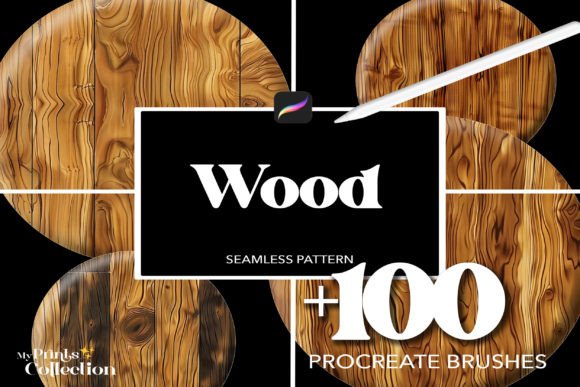
100 Procreate Wood Brushes for Realistic Texture in Digital Art
Adding authentic textures to digital artwork can elevate the final result from flat to professional. The 100 Procreate Wood Brushes offer a practical way to introduce realistic wood grain and patterns into digital illustrations. These brushes are especially useful for artists, designers, and creators who want to add organic depth without spending hours replicating textures manually.
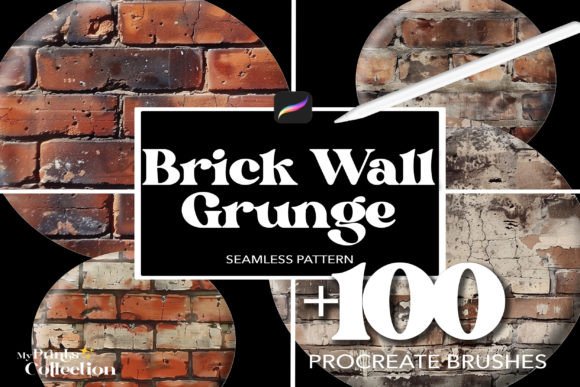
Each brush in the set is designed to be seamless, meaning the pattern repeats without visible edges. This allows for smooth, natural-looking applications across backgrounds, surfaces, or specific design elements. Whether you're working on a character illustration, product mockup, or environmental concept art, these brushes can help you achieve a more tactile and visually engaging result.
Why Realistic Wood Textures Matter in Digital Art
Textures bring a sense of realism and dimension to digital work. Wood, in particular, has a unique visual character that can suggest warmth, age, or craftsmanship depending on the context. Manually drawing wood grain is time-consuming and may not always look consistent. Using high-quality brushes like the 100 Procreate Wood Brushes ensures that the texture appears natural and integrates seamlessly with your artwork.
For example, a designer creating a vintage-style poster might use a distressed wood background to evoke a rustic feel. A game artist could apply a wooden panel texture to a character’s armor for a more grounded aesthetic. These applications go beyond decoration—they enhance storytelling and visual communication.
How These Brushes Improve Workflow Efficiency
One of the most valuable aspects of the 100 Procreate Wood Brushes is how they streamline the creative process. Importing the brush set into Procreate takes just a few steps, and once installed, each brush is ready to use immediately. This eliminates the need to search for or create custom textures from scratch.
Time saved during the texturing phase can be redirected toward refining composition, color, or lighting—elements that often determine the overall impact of a piece. Additionally, because the brushes are seamless, they can be applied across large areas without visible repetition, reducing the need for manual adjustments.
Who Benefits Most from These Brushes?
- Illustrators working on editorial or children’s book art can use wood textures to add tactile interest to backgrounds or props.
- Graphic designers crafting branding materials or packaging concepts may incorporate wood elements to suggest authenticity or sustainability.
- Freelance artists producing digital commissions can enhance the perceived value of their work with realistic surface details.
- Entrepreneurs designing product mockups or marketing assets can add wood textures to evoke a premium or artisanal feel.
These brushes are also beneficial for educators teaching digital illustration techniques, as they provide students with a professional-grade toolset that mirrors industry standards.
Practical Use Cases for Wood Texture Brushes
- Product mockups: Add realistic wood finishes to furniture, gadgets, or packaging designs.
- Backgrounds: Create textured surfaces for digital paintings, comics, or UI designs.
- Tattoo designs: Use wood grain as a stylistic element in sleeve designs or rustic-themed tattoos.
- Pattern creation: Combine different wood brushes to generate seamless, repeatable textures for fabric or wallpaper design.
- Environmental art: Enhance landscape illustrations with detailed wooden structures like fences, docks, or tree bark.
Because the set includes 100 brushes, users have a broad selection to choose from, ensuring that no two projects feel repetitive. This variety supports creative flexibility, allowing artists to match the right texture to the mood and context of their work.
What to Consider Before Using These Brushes
While the 100 Procreate Wood Brushes offer a powerful way to enhance digital work, it's important to understand their limitations. As digital assets, they require the Procreate app to function. Users unfamiliar with importing brush sets may need to follow a brief tutorial to install them correctly.
Additionally, while the brushes are designed to be seamless, the final appearance depends on how they’re applied. Adjusting brush opacity, blending modes, and layer effects can significantly impact the realism of the texture. Taking the time to experiment with settings ensures the best results.
Maximizing the Value of Your Brush Set
Once installed, these brushes can be used across personal and commercial projects without restrictions. This makes them a smart investment for creators who regularly produce digital art for clients or online platforms. Unlike one-time-use assets, the 100 Procreate Wood Brushes offer long-term utility, supporting a wide range of artistic and professional needs.
To get the most from the set, consider organizing your favorite brushes into custom palettes within Procreate. This helps maintain a streamlined workflow and ensures you can access frequently used textures quickly during a session.
Final Thoughts
The 100 Procreate Wood Brushes provide a practical and efficient way to add realistic wood textures to digital artwork. Whether you're a professional illustrator, a hobbyist, or someone looking to enhance visual projects, these brushes offer a valuable tool for improving realism and depth. By simplifying the texturing process, they help artists focus more on creativity and less on technical hurdles—making them a worthwhile addition to any digital artist’s toolkit.