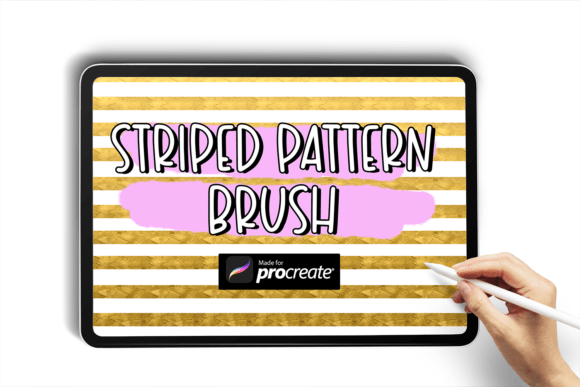
How to Download and Use the Striped Pattern Brush Procreate Brushes
If you're an artist or designer working on the Procreate app, you've probably explored the vast library of custom brushes available to enhance your digital illustrations. Among the most useful and visually striking are the Striped Pattern Brush Procreate Brushes. These brushes allow you to quickly add dynamic striped textures to your artwork, making them ideal for fashion design, textile mockups, backgrounds, and more. In this article, we’ll walk through how to download and install these brushes, explore their features, and discuss how they can elevate your creative workflow.
What You’ll Get with the Striped Pattern Brush
When you download the Striped Pattern Brush for Procreate, you’ll receive a single .brush file that contains a custom brush designed specifically for creating striped patterns. Unlike standard brushes, this one is engineered to repeat a stripe texture as you draw, giving your strokes a seamless, patterned appearance. It’s a simple but powerful tool that can save you time and add a professional touch to your digital work.
The brush file is typically delivered in a compressed .zip folder, which you’ll need to extract before you can use it in Procreate. Let’s walk through the process step by step.
How to Download the Procreate Brushes
Downloading the Striped Pattern Brush is a straightforward process, but it does require a few specific steps to ensure the file is properly imported into the Procreate app. Here’s how to do it:
- Download the zip folder containing the brush file to your iPad. This is usually done via email, a cloud service like iCloud or Dropbox, or directly from the website where you purchased or downloaded the brush.
- Extract the .brush file from the zip folder. On newer iPadOS versions, you can simply tap the zip file and choose “Extract” using the built-in Files app.
- Open the My Files section in the Files app and locate the extracted .brush file.
- Tap the .brush file and select “Open in Procreate.” This will automatically import the brush into your Procreate brush library.
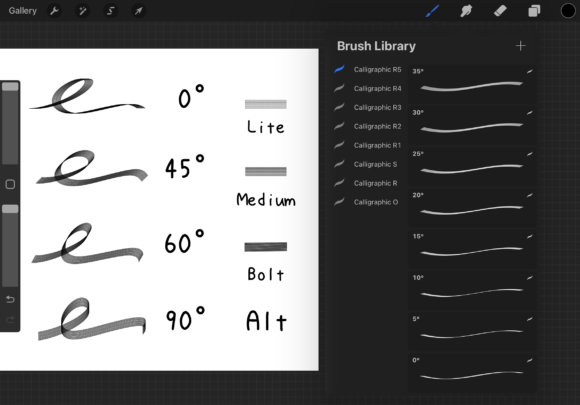
Once imported, the brush will appear in the “Custom” section of your brush studio. From there, you can rename it, adjust its settings, or organize it into a brush set for easy access.
Understanding the Features of the Striped Pattern Brush
The Striped Pattern Brush is more than just a decorative tool. It’s designed with functionality and flexibility in mind. Here are some of the key features that make this brush stand out:
- Texture Repeat: The brush uses a seamless stripe texture that repeats along the stroke, allowing you to create continuous patterns without manual layering.
- Adjustable Scale: You can modify the size of the stripes within the brush settings, making it easy to adapt the pattern to different design needs.
- Opacity and Flow Control: Like any Procreate brush, you can adjust opacity and flow to create subtle or bold striped effects.
- Pressure Sensitivity: If you're using an Apple Pencil, the brush responds to pressure, letting you vary the intensity of the stripes based on how hard you press.
These features make the Striped Pattern Brush a versatile tool for a variety of artistic applications, from subtle background textures to bold, illustrative designs.
Integrating the Striped Pattern Brush into Your Workflow
Whether you’re a professional illustrator, a hobbyist, or someone who enjoys digital art for personal projects, the Striped Pattern Brush can significantly enhance your workflow. Here are a few practical ways to incorporate it into your creative process:
Fashion and Textile Design
Designers often need to visualize fabric patterns quickly. The Striped Pattern Brush allows you to sketch clothing designs with realistic striped textures, helping you present ideas more clearly without spending hours on manual detailing.
Backgrounds and Graphic Elements
Stripes are a popular design element in modern graphics. Use the brush to create stylish backgrounds, borders, or dividers in digital illustrations, social media posts, or UI/UX mockups.
Children’s Book Illustration
Stripes are commonly used in children’s books to add visual interest and whimsy. The brush can help you quickly apply striped patterns to clothing, toys, or scenery without the need for complex layering or pattern fills.
Pattern Experimentation
Even if you’re not working on a specific project, the Striped Pattern Brush is a great way to experiment with design principles like repetition, rhythm, and contrast. Try layering different stripe widths and colors to create intricate compositions.
Choosing the Right Striped Pattern Brush
While the Striped Pattern Brush described here is a single-file download, it's important to consider a few factors when selecting or purchasing similar brushes:
- Compatibility: Ensure the brush is compatible with your version of Procreate. Most modern brushes work with Procreate 5 and above, but it’s always good to check.
- Quality: High-resolution textures and smooth performance are key. Avoid brushes that appear pixelated or lag when used.
- Customization: Look for brushes that allow you to tweak settings like texture scale, opacity, and pressure sensitivity.
- License: Some brushes are free for personal use but require a license for commercial projects. Always read the terms of use before downloading.
Final Thoughts
The Striped Pattern Brush Procreate Brushes offer a quick and effective way to add texture and visual interest to your digital artwork. Whether you’re designing clothing, creating illustrations, or simply experimenting with new styles, this brush can become a valuable part of your toolkit. By following the simple steps outlined above, you can easily download and install the brush, then begin exploring its many creative applications. With a little practice and experimentation, you’ll find that the Striped Pattern Brush opens up a whole new dimension of design possibilities in Procreate.